A Distill alternative built around outcomes, not selectors
For teams watching public pages, PageDiff is usually the better pick: you describe what to watch in plain English and get an AI summary that says what changed and whether it's worth your attention. But if you need to monitor pages behind a login or on an internal network, Distill's local, in-browser monitors do something PageDiff's cloud can't, and there Distill is still the right tool.
Distill is a mature, well-liked monitor built around a browser extension and point-and-click element selection. PageDiff comes at the same problem from a different angle: a hosted service where you describe changes in plain English and let an AI write the summary. Neither is strictly better; they suit different jobs. The table below runs both directions, so you can tell which one is yours.
| Feature | Distill | PageDiff |
|---|---|---|
| What to watch | Select elements visually, then refine with CSS, XPath, or regex. No plain-English option | Describe it in plain English, with no CSS selectors or XPath |
| Change detection | Highlights what changed on the page; no AI-written summary or significance score | AI writes a plain-language summary and scores how significant each change is |
| Alert channels | Email, push notifications, webhooks, and Slack, Discord & MS Teams integrations | Email, Slack, Discord, and signed webhooks |
| Data residency | Local monitors stay in your browser; Distill is run by Neemb LLC (a US / Delaware company) and, per its privacy policy, processes cloud data in the US and Ireland and may transfer it outside the EEA | Hosted in the EU; GDPR-compliant, EU-operated |
| Getting started | Free tier (25 monitors, 5 in the cloud); local monitoring needs the browser extension or desktop app | 14-day free trial of the Starter plan: 10 monitors and 1,000 checks/month |
| Plan differences | Version history, macros, and shorter check intervals are gated to higher-priced tiers | Every plan is fully featured; plans differ only by scale |
Distill's details were verified against distill.io in July 2026, and this comparison is dated so you can see how current it is. Products change, so if anything here is out of date, tell us and we'll correct it.
Selectors, or outcomes
Distill grew up as a browser extension, and it still feels like one, in a good way. You install it, open the page you care about, and click the parts you want to track: a price, a headline, a stock badge. Need to be precise? Refine the selection with CSS, XPath, or a regular expression. It’s a hands-on, point-at-the-page workflow, and if that’s already how you think about monitoring, you’ll feel at home quickly.
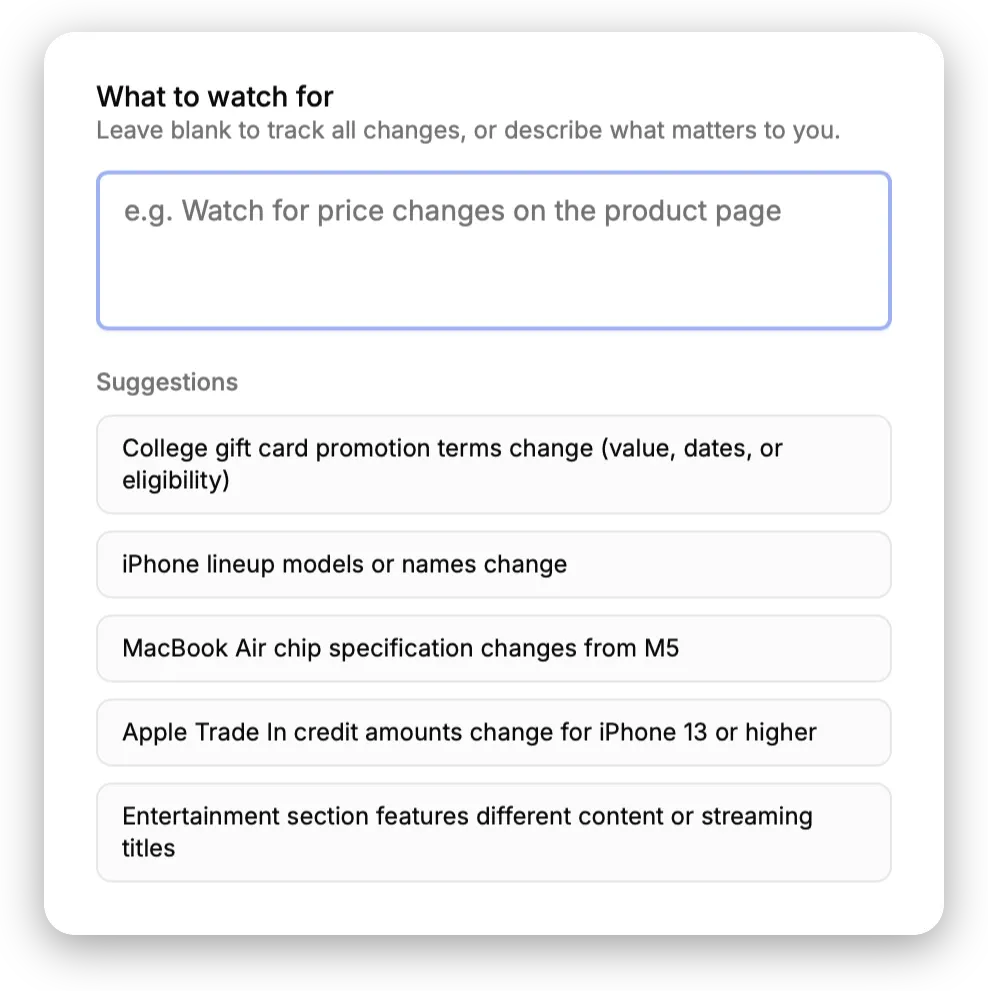
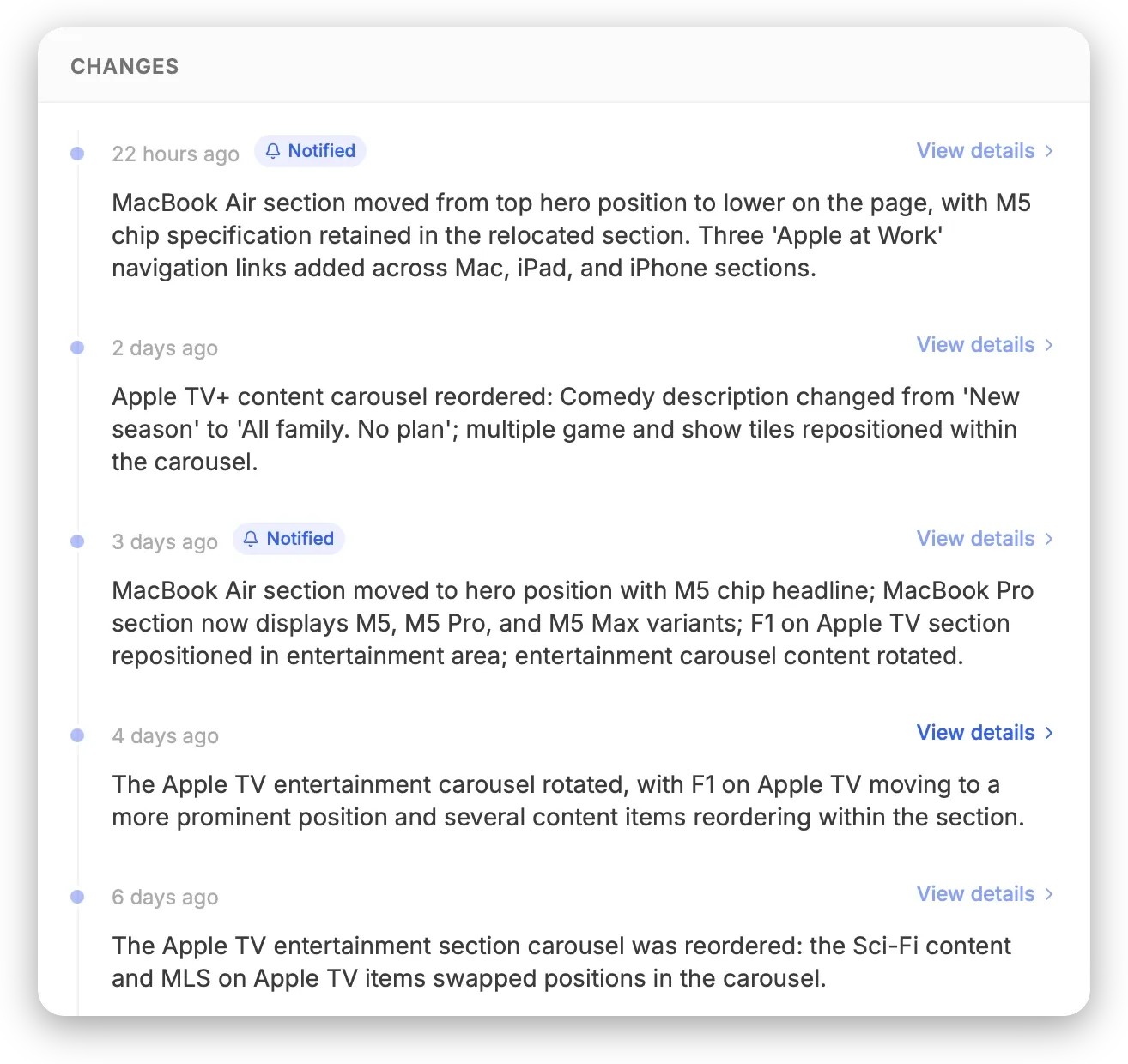
PageDiff asks a different question. Instead of “which element should I watch?” it asks “what change would you actually want to hear about?”, and you answer in plain English. Something like: “Tell me if the pricing table changes, but ignore the cookie banner and the footer.” No selectors, nothing to install. When the page moves, an AI writes up what happened in a sentence or two and rates how significant it is, so a reworded footer doesn’t land in your inbox with the same weight as a dropped plan.
That’s the real split, and it’s worth naming plainly: Distill asks you to identify exactly what to monitor; PageDiff asks you to describe the outcome you care about. Depending on who’s setting it up, that’s either a minor preference or the entire decision.
Where plain English pays off
The clearest win is for people who aren’t going to enjoy writing selectors. CSS and XPath aren’t hard, exactly; they’re just not something most marketing or ops teams want to keep in their heads, and they can break when a site gets redesigned. Describing the outcome instead of the element means a template change has nothing to invalidate.
The second is what actually lands in your inbox. Distill will tell you that something changed; PageDiff tries to tell you whether you should care. After the tenth footer tweak, a raw diff starts to lose its appeal, and a summary with a significance score is the difference between an alert you act on and one you archive.
A few smaller things add up too:
- EU data residency. PageDiff is EU-hosted and operated, with snapshots stored under EU jurisdiction. Distill is run by Neemb LLC, a US (Delaware) company governed by Delaware law; its privacy policy says data is processed in the United States and Ireland and may be transferred outside the EEA. For a European or regulated team, that’s not a small detail.
- A free trial, nothing to install. Start with a 14-day free trial of the Starter plan (10 monitors, 1,000 checks a month), all in the browser. There’s no extension or desktop app to set up, which Distill’s local monitors do require.
- No feature ladder. Every PageDiff plan is fully featured; you’re only choosing scale. Distill reserves version history, macros, and shorter check intervals for its higher-priced tiers.
Where Distill wins
If you’re monitoring an internal dashboard, an intranet page, or anything behind SSO, this comparison is more or less over, and Distill wins it. Its local monitors run inside the browser you’re already logged into, so the page never leaves your machine and authentication just works. Distill calls this out directly, listing private pages and PDFs as supported. PageDiff checks pages from the cloud, which means it can only reach what’s publicly reachable. There’s no clever workaround here; it’s a design boundary.
A couple of other Distill advantages:
- Speed and locality. A local monitor can re-check as often as every few seconds, entirely on your own device, which is handy when you want tight timing and don’t want content leaving your machine at all.
- Push and Microsoft Teams. Distill sends push notifications and integrates with MS Teams; PageDiff doesn’t, at least today. (PageDiff covers email, Slack, Discord, and signed webhooks.)
- Point-and-click precision. If you like selecting the exact box to watch, Distill’s visual picker, backed by CSS, XPath, and regex, is a genuinely nice way to work.
Public web, or private browser
For public websites, the local-monitoring advantage mostly stops mattering, and the question shifts from “can it watch the page?” to “can I understand what changed without opening it?” If you’re tracking competitor pricing, terms and policy pages, release notes, or job postings, that’s where PageDiff tends to make more sense, and a 14-day free trial, with nothing to install, lowers the bar to finding out.
So: if your work lives behind a login or on an internal network, stay on Distill. It’s built for exactly that. If it lives on the public web and you’d rather read a summary than a diff, PageDiff is worth a few minutes. Point it at a page you care about below, or compare the plans.
Try PageDiff on any page
Paste a public URL to see the live capture and the watch conditions PageDiff suggests, right here, no signup.